> ## Documentation Index
> Fetch the complete documentation index at: https://docs.getsolum.com/llms.txt
> Use this file to discover all available pages before exploring further.
# Form Submissions
> How patient form submissions become patient records
# Form Submissions
When a patient submits one of your forms, Solum tries to match them to an existing patient automatically. If we can match confidently, we update that patient with the new info; if the data is ambiguous, we flag the submission for your review. The patient always sees a success message — their data is captured before any matching runs, so internal issues never cost them their submission.
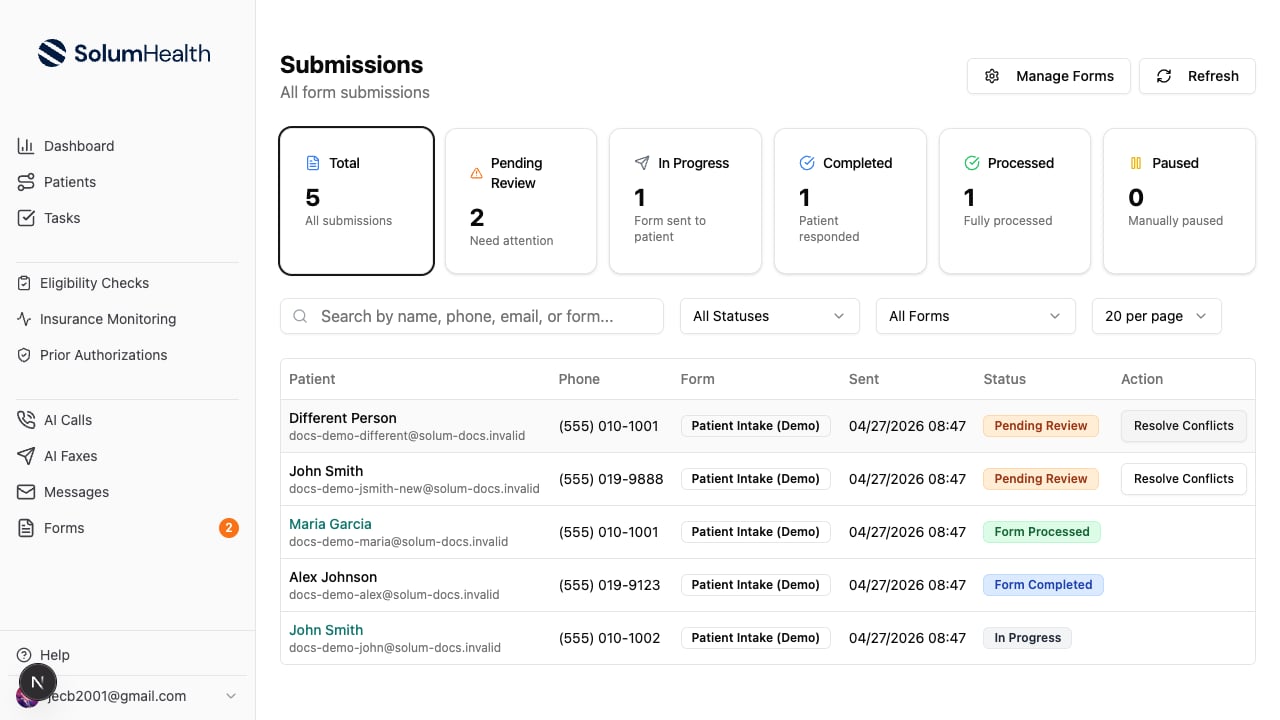
Manage submissions from [**Submissions**](https://app.getsolum.com/submissions) (or from a specific form's detail page).
 ***
## How auto-matching works
A submission goes through three matching steps, in order. The first step that finds a confident match wins.
If the submission has first name + last name + date of birth, we look for an existing patient with the same three values. Names are case-insensitive; DOB must match exactly.
If demographics didn't match, we look up the phone number. When we find one, we verify the name is close enough — typos like "Jhon" vs "John" are accepted, but completely different names are rejected and we move on.
Same idea as phone, but using email (case-insensitive). The submitted name still has to be close to the existing patient's name.
If a match is found, we update the existing patient with the new form data and the submission moves to **Form Processed**.
If we match a patient but their phone or email belongs to a *different* patient on file, we leave that field unchanged on the matched patient — Solum never overwrites contact info that points to someone else.
## When we create a new patient
If no step matches, we create a brand-new patient — provided we have either a unique phone number OR full demographics (first name, last name, DOB). The submission moves to **Form Processed**.
## When we ask for your help (Pending Review)
If we can't match AND can't safely create — for example, the phone is taken by another patient and we don't have a DOB to fall back on — the submission lands in **Pending Review**. The patient still sees a success message; their data is fully preserved.
You'll see how many submissions need attention on the **Pending Review** stat card at the top of the Submissions page:
***
## How auto-matching works
A submission goes through three matching steps, in order. The first step that finds a confident match wins.
If the submission has first name + last name + date of birth, we look for an existing patient with the same three values. Names are case-insensitive; DOB must match exactly.
If demographics didn't match, we look up the phone number. When we find one, we verify the name is close enough — typos like "Jhon" vs "John" are accepted, but completely different names are rejected and we move on.
Same idea as phone, but using email (case-insensitive). The submitted name still has to be close to the existing patient's name.
If a match is found, we update the existing patient with the new form data and the submission moves to **Form Processed**.
If we match a patient but their phone or email belongs to a *different* patient on file, we leave that field unchanged on the matched patient — Solum never overwrites contact info that points to someone else.
## When we create a new patient
If no step matches, we create a brand-new patient — provided we have either a unique phone number OR full demographics (first name, last name, DOB). The submission moves to **Form Processed**.
## When we ask for your help (Pending Review)
If we can't match AND can't safely create — for example, the phone is taken by another patient and we don't have a DOB to fall back on — the submission lands in **Pending Review**. The patient still sees a success message; their data is fully preserved.
You'll see how many submissions need attention on the **Pending Review** stat card at the top of the Submissions page:
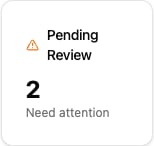 Click the card to filter the table to just those rows.
### Resolving a Pending Review submission
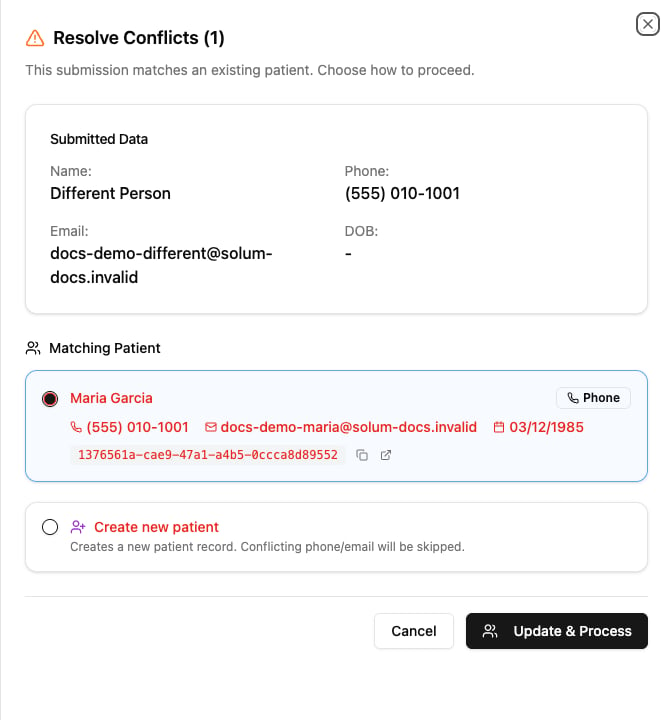
Click **Resolve Conflicts** on a pending submission. You'll see what the patient submitted alongside the existing patient(s) we found, and you choose how to proceed:
Click the card to filter the table to just those rows.
### Resolving a Pending Review submission
Click **Resolve Conflicts** on a pending submission. You'll see what the patient submitted alongside the existing patient(s) we found, and you choose how to proceed:
 | Choice | What it does |
| ----------------------------- | ----------------------------------------------------------------------------------------------------------------------------------------------------------------------------------------------------------------------------------- |
| **Pick the matching patient** | Links this submission to that patient AND updates their record with the new form info |
| **Create new patient** | Creates a fresh patient record. If the submission's phone or email is taken by someone else, those fields are skipped on the new record. Not available when the conflict is a name + DOB collision (you'd be creating a duplicate). |
Click **Update & Process** to apply your choice. The submission moves to **Form Processed**.
***
## Submission statuses
| Status | Meaning |
| ------------------ | -------------------------------------------------------------- |
| **In Progress** | Form link sent via a sequence; awaiting the patient's response |
| **Form Completed** | Patient submitted; we're matching them in the background |
| **Form Processed** | Patient is fully linked, data is live |
| **Pending Review** | We couldn't auto-resolve; needs your decision |
| **Paused** | Manually paused by your team |
You can filter the table by any of these via the **All Statuses** dropdown.
| Choice | What it does |
| ----------------------------- | ----------------------------------------------------------------------------------------------------------------------------------------------------------------------------------------------------------------------------------- |
| **Pick the matching patient** | Links this submission to that patient AND updates their record with the new form info |
| **Create new patient** | Creates a fresh patient record. If the submission's phone or email is taken by someone else, those fields are skipped on the new record. Not available when the conflict is a name + DOB collision (you'd be creating a duplicate). |
Click **Update & Process** to apply your choice. The submission moves to **Form Processed**.
***
## Submission statuses
| Status | Meaning |
| ------------------ | -------------------------------------------------------------- |
| **In Progress** | Form link sent via a sequence; awaiting the patient's response |
| **Form Completed** | Patient submitted; we're matching them in the background |
| **Form Processed** | Patient is fully linked, data is live |
| **Pending Review** | We couldn't auto-resolve; needs your decision |
| **Paused** | Manually paused by your team |
You can filter the table by any of these via the **All Statuses** dropdown.