

Form Submissions
When a patient submits one of your forms, Solum tries to match them to an existing patient automatically. If we can match confidently, we update that patient with the new info, and if your form requests VOBs, Solum requests them right after. The patient always sees a success message — their data is captured before any matching runs, so internal issues never cost them their submission. Manage submissions from Submissions (or from a specific form’s detail page).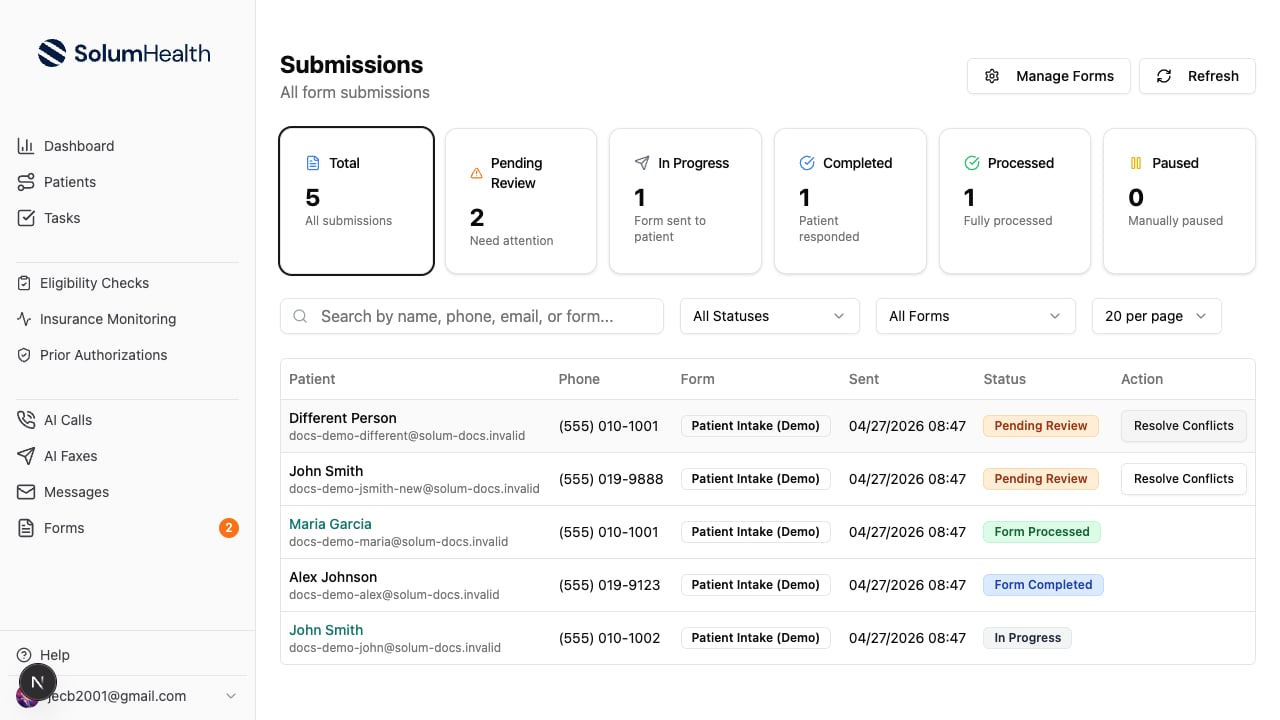
How auto-matching works
A submission goes through three matching steps, in order. The first step that finds a confident match wins.1
Demographics — exact match
If the submission has first name + last name + date of birth, we look for an existing patient with the same three values. Names are case-insensitive; DOB must match exactly.
2
Phone number + name check
If demographics didn’t match, we look up the phone number. When we find one, we verify the name is close enough — typos like “Jhon” vs “John” are accepted, but completely different names are rejected and we move on.
3
Email + name check
Same idea as phone, but using email (case-insensitive). The submitted name still has to be close to the existing patient’s name.
If we match a patient but their phone or email belongs to a different patient on file, we leave that field unchanged on the matched patient — Solum never overwrites contact info that points to someone else.
When we create a new patient
If no step matches, we create a brand-new patient — provided we have either a unique phone number OR full demographics (first name, last name, DOB). The submission moves to Form Processed.Workflow stages
A form moves patients through your workflow stages. Set both stages in the form’s Settings tab, under Workflow & Tags:- Workflow stage when sent: when the form’s message sequence (under Messages) sends it to a patient, they move to this stage, for example Intake Form Sent.
- Workflow stage when submitted: when the patient submits the form, they move to this stage.
Workflow stage when sent is coming with the next release. Until then, a patient a sequence sends a form to moves to the Form default stage in Settings → Workflow Stages, and Workflow stage when submitted is labeled Workflow Stage by default.
Requesting VOBs automatically
A form can request a verification of benefits (VOB) for every insurance the patient enters. Turn it on in the form’s Settings tab, under Verification of benefits → Request a VOB for each submission. Solum uses your default services, the same ones it uses everywhere else. The card also lists what the form needs for a VOB: the insurance and its member ID, the patient’s address when your codes are set by state, and default services. Fix anything it flags before you rely on it.When a VOB can’t be requested (Action Required)
If Solum can’t request a VOB for one of the insurances — for example, no default services are set up for it, or your codes are set by state and the submission has no address — the submission becomes Action Required. Everything else from the submission (the patient, their insurances, their stage) is already saved. Open the submission to see what Solum did and why each VOB wasn’t requested. Request VOB opens the VOB request with that insurance selected; once it’s sent, the submission moves to Form Processed. Finish without VOB moves it there without one. An insurance entered without a member ID isn’t saved to the patient. Select Open patient, add the insurance with its member ID, and request the VOB from the patient. The submission then shows that VOB; select Mark completed to move it to Form Processed. The VOB column on the Submissions list and on each form’s submissions shows where every submission stands: Request VOB, Open patient, VOB requested, VOB already open, or Finished without VOB.Submission statuses
You can filter the table by any of these via the All Statuses dropdown.